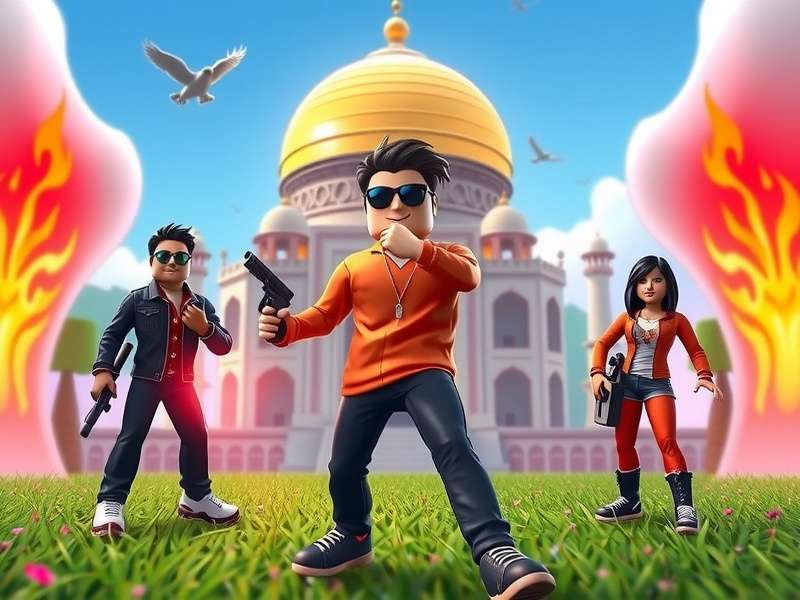
1. Introduction to Roblox on Windows
Roblox isn't just a game — it's a massive online platform where millions of players create, share, and play games made by other users. When you play Roblox on Windows, you unlock the full desktop experience with better graphics, smoother controls, and access to the entire Roblox universe. For Indian players, Windows PCs remain the most popular way to dive into Roblox, thanks to the flexibility and raw performance that a dedicated computer provides.
Unlike mobile versions, the Roblox Windows client delivers an optimized experience with dedicated rendering, keyboard and mouse controls, and the ability to run multiple instances. The desktop client also receives faster updates and better stability, making it the recommended platform for serious players. Whether you are a newbie exploring your first obby or a veteran building complex worlds in Studio, Windows gives you the edge.
In this comprehensive guide, we'll cover every aspect of Roblox on Windows — from system requirements and installation steps to insider tips, best games to try in 2025, and a curated list of working song IDs that you can use to elevate your in-game music experience. We've also tailored this guide specifically for the Indian audience, with local context and solutions for common issues faced in the region.
2. Why Roblox Windows is a Hit in India 🇮🇳
India has seen a massive surge in Roblox players, especially after the rise of affordable gaming PCs and improved internet connectivity. Here's why Roblox on Windows resonates with the desi audience:
- Free-to-play model:Roblox is completely free to download and play, which is a huge draw in the Indian market. Players can explore millions of experiences without spending a rupee.
- Low system requirements: Unlike AAA titles that demand expensive GPUs, Roblox runs on almost any Windows machine — even old Intel HD graphics laptops can handle it.
- Social and community-driven: Indians love multiplayer games, and Roblox's social features let you play with friends, join groups, and participate in virtual events.
- Localized content: Many Indian creators have started building games inspired by Indian culture, festivals, and cities — from Holi celebrations to Mumbai racing simulations.
- Educational value: Roblox Studio teaches robotics, coding, and game design, making it popular among Indian parents and students.
Additionally, Windows is the most common operating system in Indian households and internet cafés. This makes the Roblox Windows download the most searched term among Indian gamers looking to get started on a bigger screen.
3. Roblox Windows System Requirements (2025)
Before you hit that download button, let's verify that your Windows PC meets the minimum requirements to run Roblox smoothly. The good news is that Roblox is famously light, but a bit of extra hardware muscle goes a long way in larger games.
3.1 Minimum Requirements
- Operating System: Windows 7 SP1, Windows 8.1, Windows 10, or Windows 11
- Processor: 1.6 GHz dual-core CPU or better
- RAM: 2 GB (4 GB recommended)
- Graphics: DirectX 10 capable GPU (Intel HD 4000 or equivalent)
- Storage: 2 GB free disk space
- Internet: Broadband connection (4+ Mbps)
3.2 Recommended Requirements for Smooth Gameplay
- Operating System:Windows 10/11 64-bit
- Processor: Core i3 8th Gen or AMD Ryzen 3
- RAM: 8 GB
- Graphics: GTX 1050 Ti / Radeon RX 560 or better
- Storage: SSD with 5 GB free
- Internet: Fiber or 4G connection (10 Mbps)
3.3 How to Check Your Windows Version
Not sure which Windows version you're running? Here's how to check in seconds:
- Press Win + R, type
winver, and hit Enter. - A pop-up box displays your Windows version and build number.
- Alternatively, go to Settings → System → About.
If you're on an older Windows version, consider updating first to ensure you get the latest bug fixes and security patches. For a detailed installation walkthrough, check out our guide on How to Download Roblox on PC Windows 10 2025.
4. How to Download and Install Roblox on Windows
Getting Roblox on your Windows PC is a breeze. Follow our step-by-step walkthrough and you'll be playing in under five minutes — even on a slow connection.
4.1 Step-by-Step Installation Guide
-
Visit the official Roblox website: Open
www.roblox.comin your browser. - Create a free account: If you don't have one, sign up with your email address. You'll need to verify your email and choose a unique username.
- Find any game/experience: Browse the library and click on any experience you'd like to play. This will trigger the Roblox installer prompt.
- Download the installer: Click "Play" and the RobloxPlayerInstaller.exe file will download automatically.
-
Run the installer: Double-click the
.exefile and allow the installation. This usually takes less than 60 seconds. - Launch and play: Once installed, Roblox will automatically open the game you selected. You can now launch any experience from the website.
Are you having trouble with the installation? Check out our dedicated guide on the Installer Roblox page for detailed troubleshooting steps. And if you prefer a manual download of the full game, visit our Roblox Download PC Full Game article.
4.2 Common Installation Issues in India
Issue: Installer gets stuck at 0% or is extremely slow.
This often happens due to ISP throttling or network congestion. Use a VPN with an India-based server (or a high-speed U.S. server) and retry. Also, temporarily disable your antivirus — it sometimes flags Roblox's installer.
Pro Tip: Always download Roblox from the official website. Avoid third-party sites offering "modified" clients — these are a common source of malware in India.
5. Best Roblox Games to Play on Windows in 2025
Once you have the Roblox Windows client ready, it's time to explore the best experiences. Here are the trendiest and most-loved games on the platform in 2025, picked with Indian players in mind:
5.1 Blox Fruits 🍇
One of the most played games on Roblox, Blox Fruits is an action-adventure RPG where you train, fight, and search for legendary fruits to unlock god-like powers. With regular updates and a massive community, it's ideal for players who love grinding and PvP. On Windows, the combat controls feel especially crisp with a keyboard.
5.2 Brookhaven RP 🏘️
If role-playing is your thing, Brookhaven RP offers a realistic life simulation in a suburban town. Perfect for players who want a chill experience — drive cars, buy homes, or just hang out with friends. The graphics look great on PC and load quickly on decent hardware.
5.3 Adopt Me! 🐾
Adopt Me! is a beloved game where you adopt and raise pets, build your dream home, and trade with others. Its charming art style and social nature make it a standout on Windows. The larger screen truly brings the colourful world to life.
5.4 Tower of Hell 🌀
For obstacle course (obby) enthusiasts, Tower of Hell is a no-checkpoint rage-inducing challenge that tests your jumping precision. The Windows client's higher frame rate gives you a competitive advantage over mobile players.
5.5 Jailbreak 🚔
Jailbreak is a classic cops-and-robbers game with a massive map, heists, and fast-paced car chases. It runs beautifully on Windows and offers hours of multiplayer fun.
For even more exciting gameplay utilities, some players explore tools like Delta Executor Roblox — but always exercise caution with third-party scripts, as they can violate Roblox's terms.
6. Roblox Windows: Tips and Tricks for Power Users
You've mastered the basics. Now let's level up your Roblox Windows experience with some expert tips:
6.1 Essential Keyboard Shortcuts
- Shift + F12: Toggle the in-game menu for graphics quality adjustments.
- F5: Record gameplay footage (Windows 10/11 built-in Game Bar).
- Alt + Enter: Toggle fullscreen mode instantly.
- Ctrl + Shift + H: Hide or show the head-up display (HUD).
6.2 How to Get Better FPS on Roblox Windows
Experiencing lag on your old laptop? Here are proven fixes:
-
Lower graphics quality:Press
Esc→ Settings → Graphics Quality → crank it down to 1 or 2. - Disable shadows:Shadows are a frame rate killer. Turn them off if your GPU is weak.
- Close background apps:Especially Chrome with 20 tabs — it eats your RAM and CPU.
- Update your GPU drivers:Visit Intel, NVIDIA, or AMD's website and install the latest drivers.
- Use Compatibility Mode:Right-click Roblox Player → Properties → Compatibility → Run in Windows 8 mode.
6.3 Hidden Settings Every Pro Should Know
Enable the FPS counter: Go to Settings → Graphics → enable "Performance Stats" to see your current FPS. This helps you tweak settings in real time.
- Network quality: Set your network quality to "Manual" in the settings and choose 10 Mbps or higher for smoother online play.
- Use wired Ethernet: If you're playing competitive games, ditch Wi-Fi and plug in a LAN cable. India's ISPs generally deliver more stable ping over wired connections.
7. Roblox Song IDs for Windows Players (2025)
Music is a huge part of the Roblox experience — from lobby tracks to in-game radio systems. Using a Roblox Song ID, you can play a specific song in experiences that support the boombox feature. Here are some working IDs curated for 2025:
7.1 Top Rap Song IDs 2025
If you're into hip-hop and rap, these IDs will hit different on your Windows setup:
- 🏆 Superman (Eminem) — 1834498032
- 🔥 Godzilla (Eminem ft. Juice WRLD) — 5258815942
- ⚡ Rap God (Eminem) — 397840705
- 🎤 Lucid Dreams (Juice WRLD) — 460719655
- 🌀 Mood (24kGoldn) — 5084923590
For an extended list, check our dedicated collection of Roblox Song Ids 2025 Rap Songs.
7.2 Working Song IDs 2025 (Verified)
Here are some IDs that we've manually verified to work as of May 2025:
- Where Is My Mind? (Pixies) — 163982774
- Believer (Imagine Dragons) — 1016572287
- Faded (Alan Walker) — 1379615523
- Señorita (Camila Canelo) — 6730256339
- Dance Monkey (Tones and I) — 4492224660
Want the full list? Visit our Roblox Song Ids 2025 Working page with hundreds of verified codes.
7.3 Chill and Relaxing Song IDs
Sometimes you just want to vibe. Here are some lo-fi and chill beats for those peaceful Roblox evenings:
- 🌙 Chill Lo-fi Study Beats — 6208673803
- ☕ Jazzhop Cafe — 6133234251
- 🌿 Forest Rain Sounds — 4931254587
More calming tunes can be found here: Roblox Song Ids 2023 For Chill — the 2023 classics never go out of style.
7.4 Music IDs for 2023 Throwbacks
Nostalgic about 2023? These song IDs will whisk you back:
- 🎵 Heat Waves (Glass Animals) — 761391058
- 🎶 Daylight (David Kushner) — 12275932587
- 🎧 Flowers (Miley Cyrus) — 11897982025
For a bigger collection, head to Roblox Music Ids 2023 and relive the gold days of Roblox audio.
7.5 How to Use a Song ID in Roblox
- Find a game that supports boombox or audio player (e.g., Welcome to Bloxburg or Da Hood).
- Purchase a boombox from the in-game shop if needed.
- Equip the boombox and paste the Song ID into the audio prompt.
- Press play — your Roblox character will now blast the song for all nearby players to hear!
8. Optimizing Roblox Performance on Windows
Want to squeeze every frame out of your PC? Here are our best optimization strategies for the Roblox Windows client — guaranteed to reduce lag and improve responsiveness.
8.1 Graphics and Display Settings
The Roblox graphics quality slider goes from 1 to 10 (or to Auto). If your FPS is low, keep it at a solid gaming 3-5, not Auto, because Auto constantly adjusts and can cause stutters. Disable anti-aliasing and choose a lower resolution if you're below 60 FPS. Also, switch to Fullscreen at native resolution — Windowed mode can add input lag.
8.2 Network Settings for Indian ISPs
Roblox uses UDP ports 49152-65535 for game traffic. Some Indian ISPs thrott these ports during peak hours (7 PM–11 PM). If you're experiencing rubber-banding or disconnects, try:
- Using a VPN connected to a nearby Singapore or Mumbai server.
- Changing your DNS to Cloudflare (1.1.1.1) or Google (8.8.8.8).
- Connecting via Ethernet instead of Wi-Fi.
8.3 Cleaning Up Your Windows PC
We've seen Indian players with cluttered laptops — cache, temp files, and old installations. Run Disk Cleanup (search "Disk Cleanup" in Start menu) and clear your Temp folder %temp% regularly. It's shocking how much difference this makes on older HDD laptops.
Did you know?Roblox's cache on Windows is stored in %LocalAppData%\Roblox\logs. Deleting old log files can free up several GB without affecting your account data.
9. Roblox Windows Safety and Security
While Roblox is a fun platform, it's crucial to stay safe — especially for young players. Here's a comprehensive safety checklist:
9.1 Account Protection
- Enable 2-Step Verification: Go to Settings → Security → 2-Step Verification → turn it on. Don't rely on just a password.
- Never share your password: This might sound obvious, but phishing attempts are rampant in Indian gaming communities.
- Beware of free Robux scams: There's no such thing as free Robux. Any website or user promising free Robux is trying to steal your credentials.
9.2 Parental Controls
Indian parents can use Roblox's parental controls to restrict chat to friends, disable voice chat, and set monthly spending caps. Go to Settings → Privacy to configure:
- Who can chat with you (Friends / No one).
- Who can join your experience (Friends / No one).
- Content maturity level — set to "All Ages" or "9+" for children.
9.3 Avoiding Third-Party Executors
Terms mention "executors" — these are third-party tools that inject Lua scripts into Roblox to gain unfair advantages. While they can seem tempting, they are bannable offenses and often contain malware. We highly recommend playing fair. If you're curious about the hype, see our Delta Executor Roblox page for informational purposes only — but use at your own risk, and never on your main account.
9.4 Safe Browsing on Windows
Roblox's official domain is *.roblox.com. Don't visit fake sites like "robloxfreedownload.net" or "robuxgenerator.com". Our sister article on Poki Roblox provides a much safer alternative if you prefer browser-based play without any installs — though it lacks the full Windows client features.
10. Frequently Asked Questions (FAQ)
10.1 Is Roblox free on Windows?
Yes, Roblox is completely free to download and play on Windows. The only place where money comes in is optional: purchasing Robux (the in-game currency) to buy skins, boomboxes, and premium items.
10.2 Can I play Roblox on a low-end Windows laptop?
Absolutely. Roblox is famous for its low system requirements. Even a basic Celeron or Pentium laptop with Intel HD Graphics will run most games at 30–60 FPS on lower settings. You can further reduce resolution and disable effects to boost performance.
10.3 What is the difference between Roblox on PC vs Windows?
Technically, the PC client and Windows client are the same thing — Roblox on a Windows desktop/laptop. The term "PC" can also technically include Mac, but when Indian players search for "PC," they almost always mean Windows. This guide covers Windows specifically.
10.4 How much internet data does an hour of Roblox use?
Roblox is fairly lightweight. On average, one hour of gameplay consumes around 100–200 MB of data. However, this varies by game — high-detail, multi-player games like Jailbreak can consume up to 400 MB per hour.
10.5 Why is Roblox lagging on my Windows PC?
The most common reasons are: background apps eating CPU/RAM, stale GPU drivers, weak Wi-Fi signal, or the Roblox graphics quality being set too high. Follow the tips in Section 8 of this guide to fix all of these.
10.6 Does Roblox support Windows 11?
Yes, Roblox fully supports Windows 11, including the new efficient game mode and Auto HDR features in most titles. If you're on Windows 11, you may need to disable "Virtualization-Based Security" (VBS) for a slight FPS increase in Roblox.
10.7 Can I use a console controller to play Roblox on Windows?
Absolutely. Roblox on Windows supports Xbox controllers natively, and with using input mapper software, you can also get PlayStation controllers working. This is a game-changer for racing and action-heavy experiences.
11. Final Thoughts
Roblox Windows is and will likely remain the best way to enjoy the Roblox universe. From limitless user-generated experiences to the most responsive controls, the Windows client delivers a premium experience that mobile simply can't match — especially for Indian players who are increasingly using laptops and desktop PCs.
To recap everything we've covered:
- ✅ Roblox Windows system requirements are minimal — almost any PC can run it.
- ✅ Downloading the Windows client takes less than 5 minutes.
- ✅ Games like Blox Fruits and Brookhaven RP are a great start in 2025.
- ✅ Optimize your PC with the tips in Section 8 to eliminate lag.
- ✅ Use verified Song IDs to level up the in-game soundtrack.
- ✅ Always follow safety practices, especially for younger players.
We hope this guide answered all your questions. If you're ready to start, check out the Roblox Download PC Full Game page to get the files you need, or if you need more installation help, the Installer Roblox guide is there for you. Happy gaming! 🎮